Help center
Go to Pest AI
All collections
Forms
How to Export All Your Form Submissions
How to Export All Your Form Submissions
This article will guide you on exporting all your form submissions, so you can easily download and manage your data outside the platform.
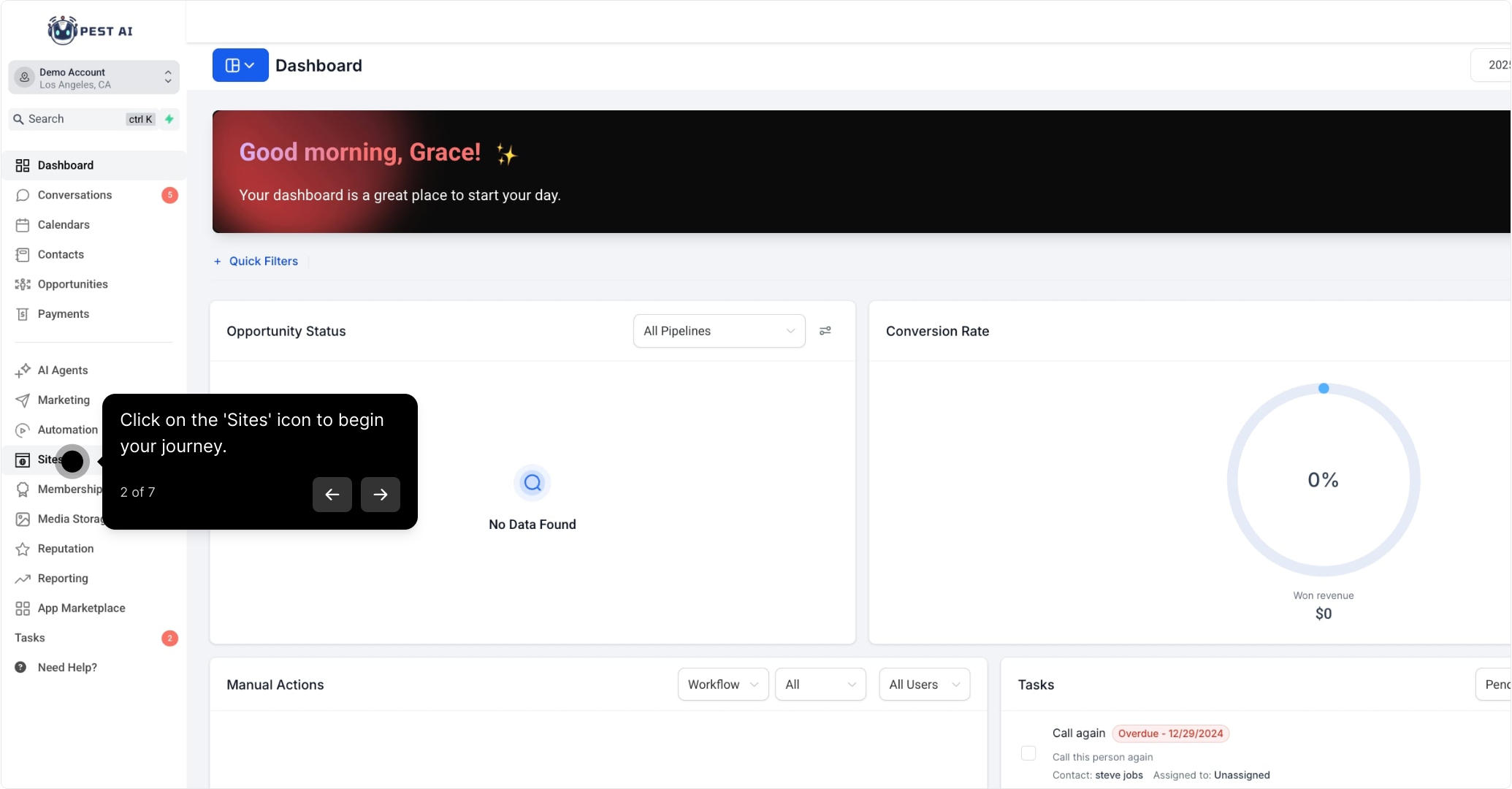
2. Click on the 'Sites' icon to begin your journey.
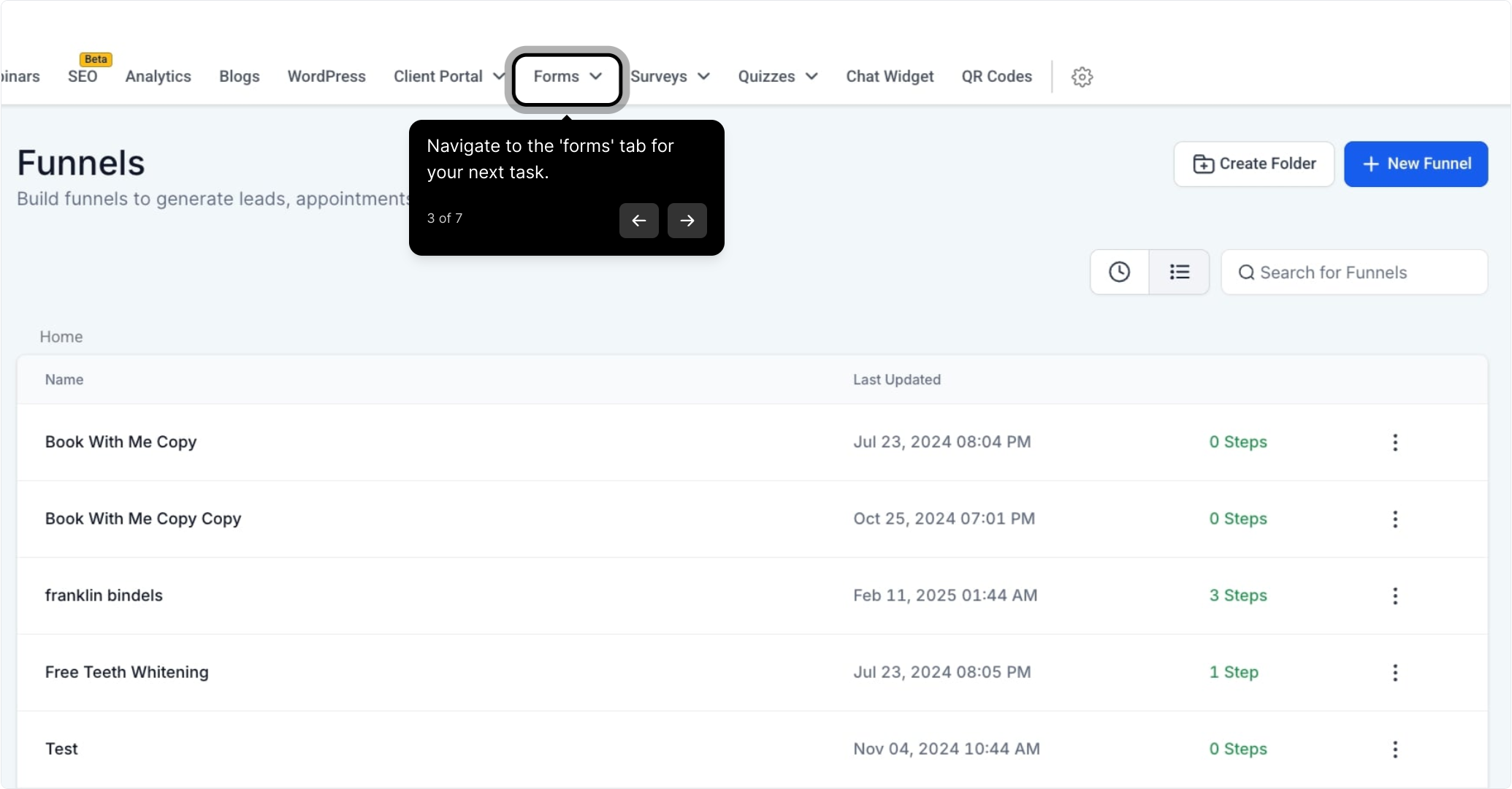
3. Navigate to the 'forms' tab for your next task.
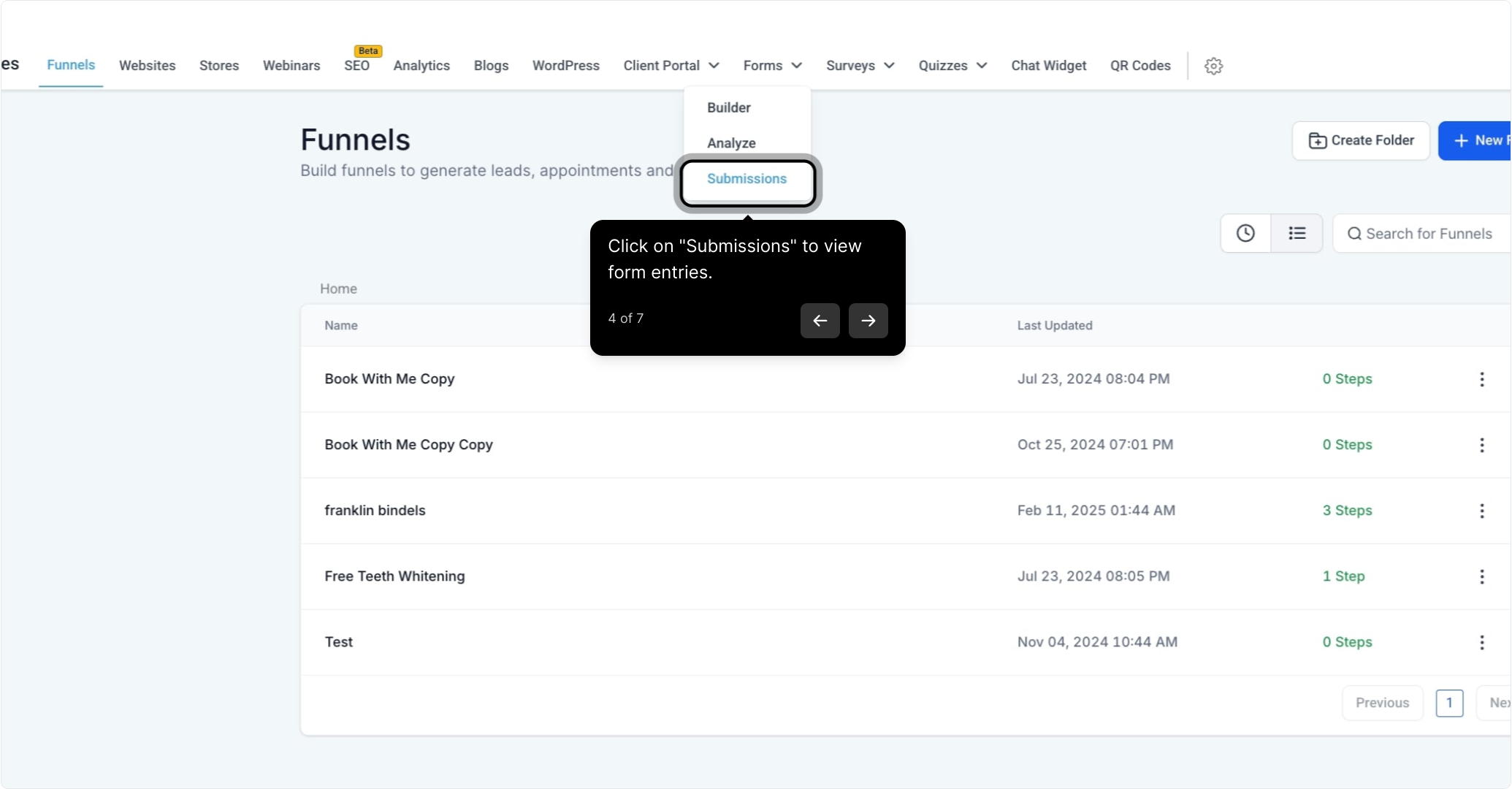
4. Click on "Submissions" to view form entries.
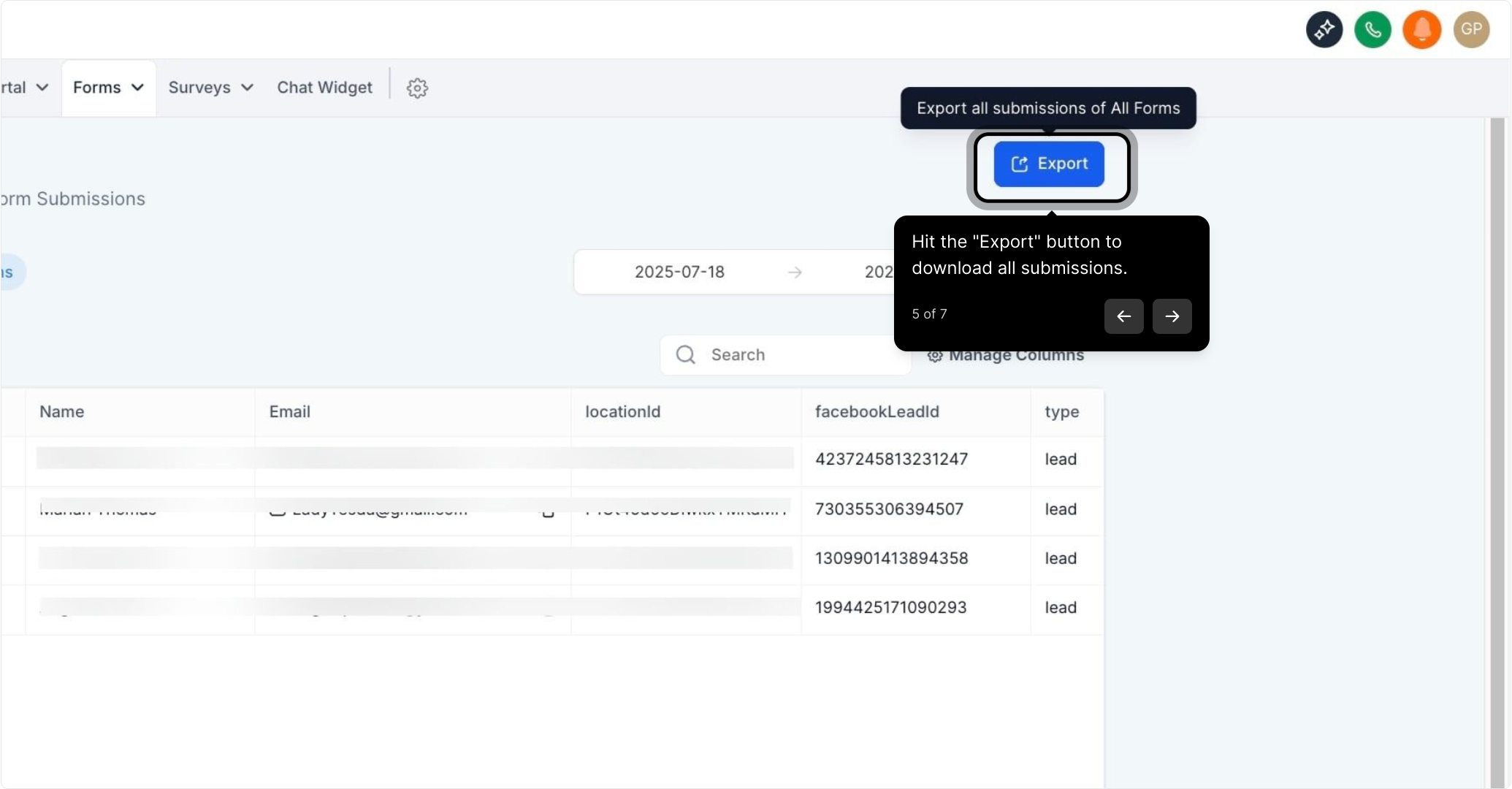
5. Hit the "Export" button to download all submissions.
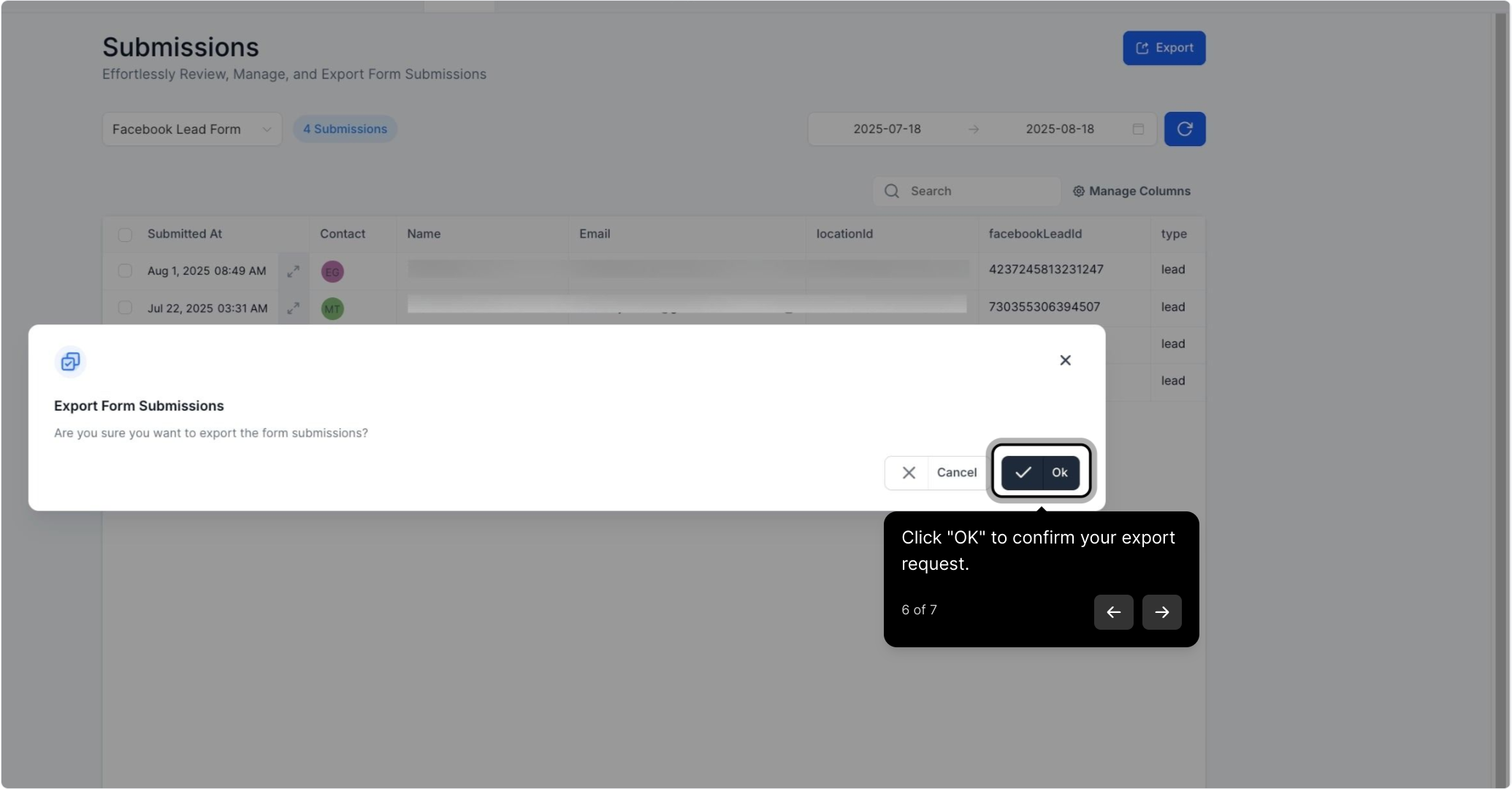
6. Click "OK" to confirm your export request.
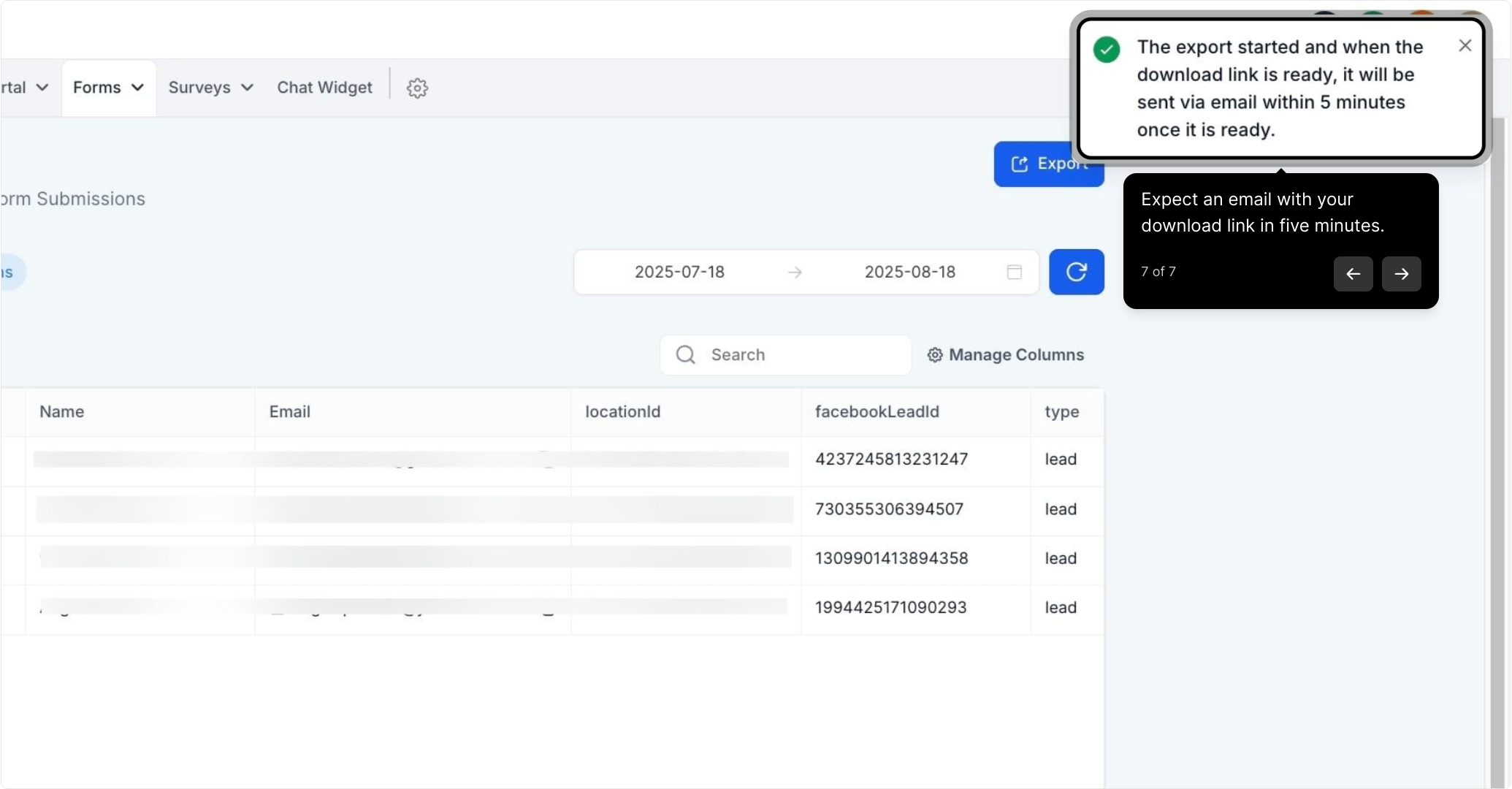
7. Expect an email with your download link in five minutes.
Did this answer your question?
😞
😐
😁
How to Export All Your Form Submissions | Pest AI