Help center
Go to Pest AI
Workflow Trigger: Offer Access Removed | Pest AI
All collections
Automation
Workflow Trigger: Offer Access Removed
Workflow Trigger: Offer Access Removed
This guide will walk you through setting up the "Offer Access Removed" workflow trigger in the applications.
This action triggers when access to an offer is revoked.
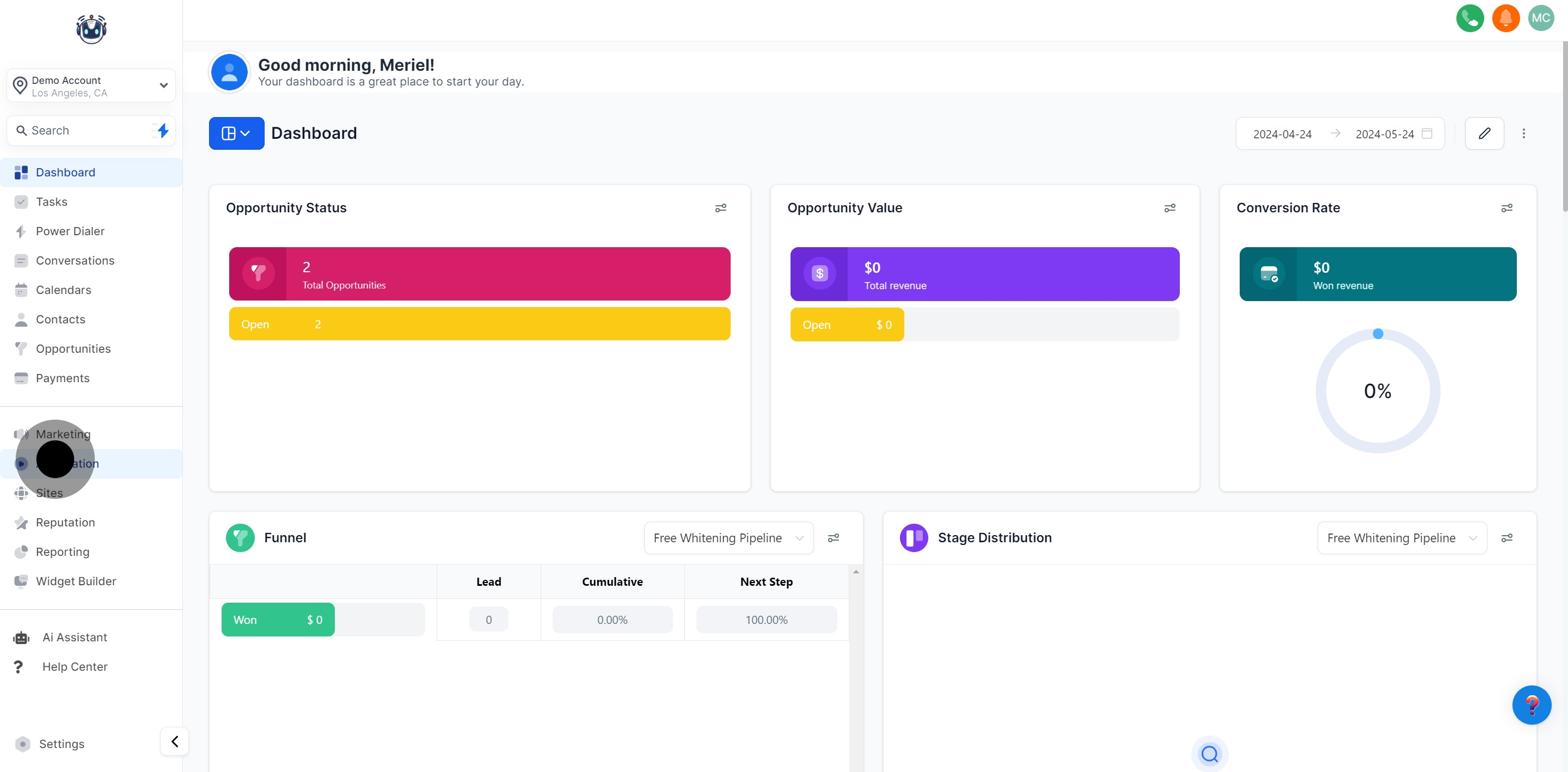
1. Start by selecting the 'Automation' menu option.
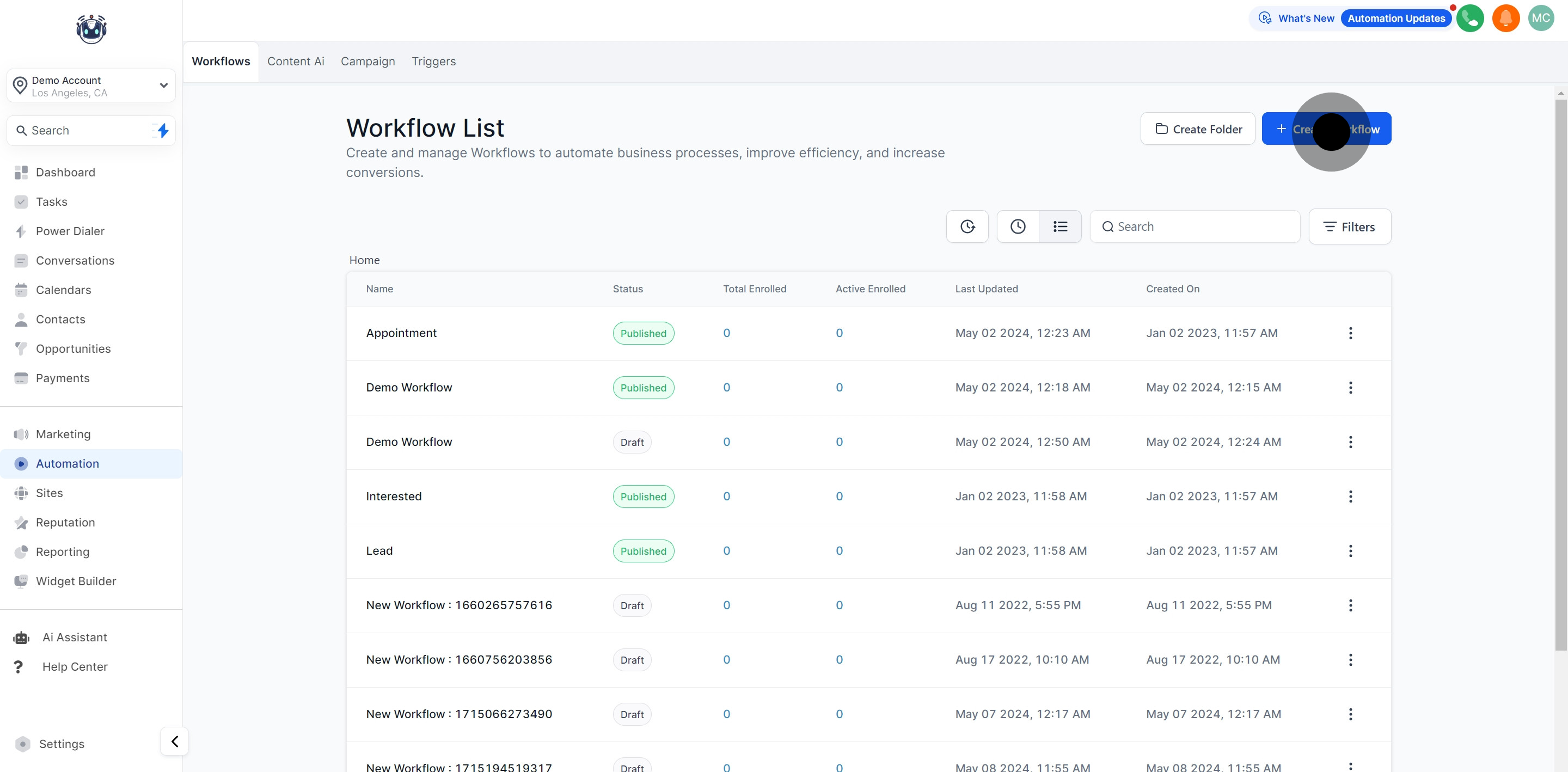
2. Next, choose 'Create Workflow' to begin your process.
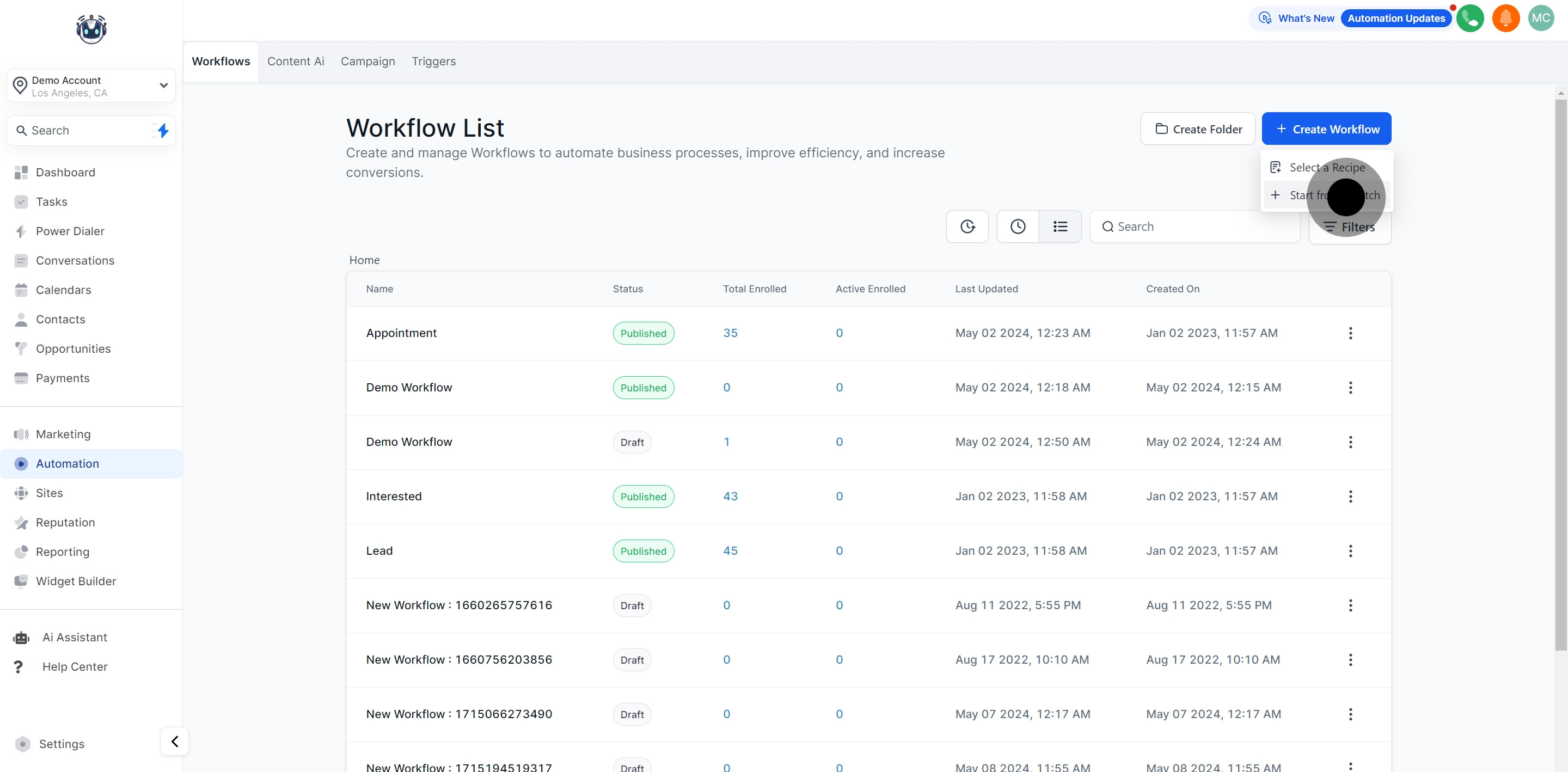
3. Then, select 'Start from Scratch' for a fresh canvas.
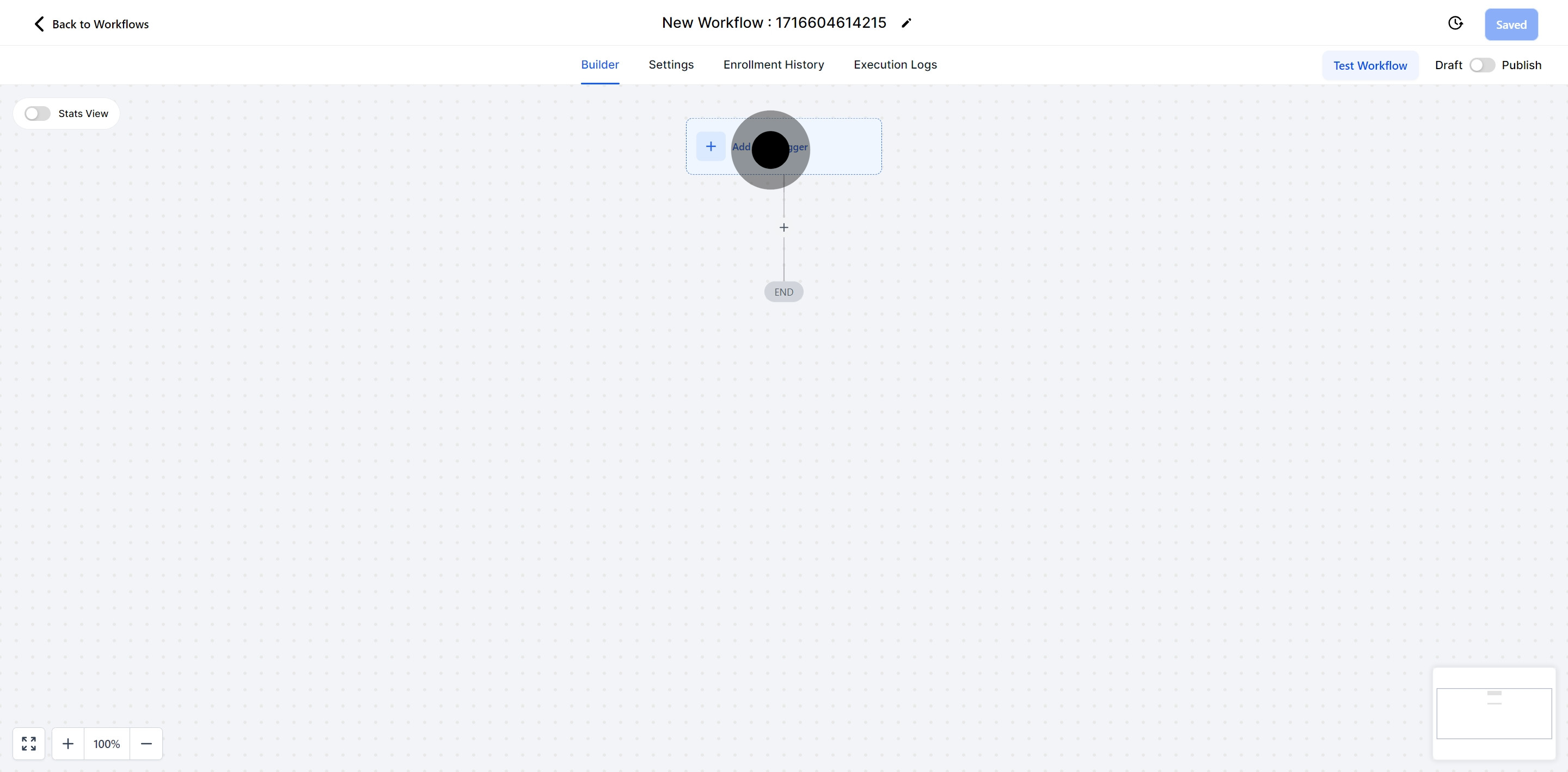
4. Now, go ahead and click 'Add New Trigger' to set your workflow's initial action.
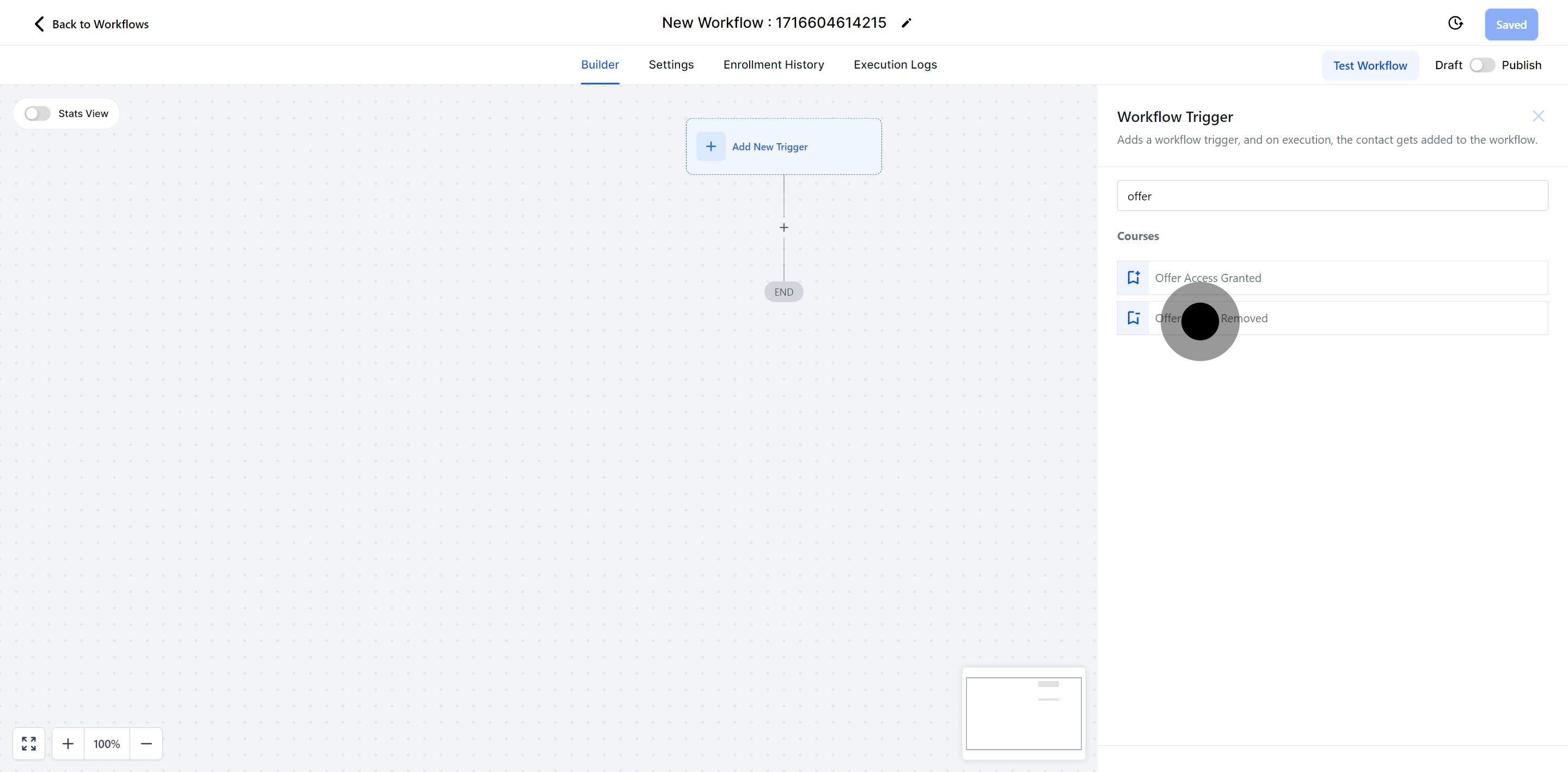
5. Continue by choosing 'Offer Access Removed' as the type of trigger.
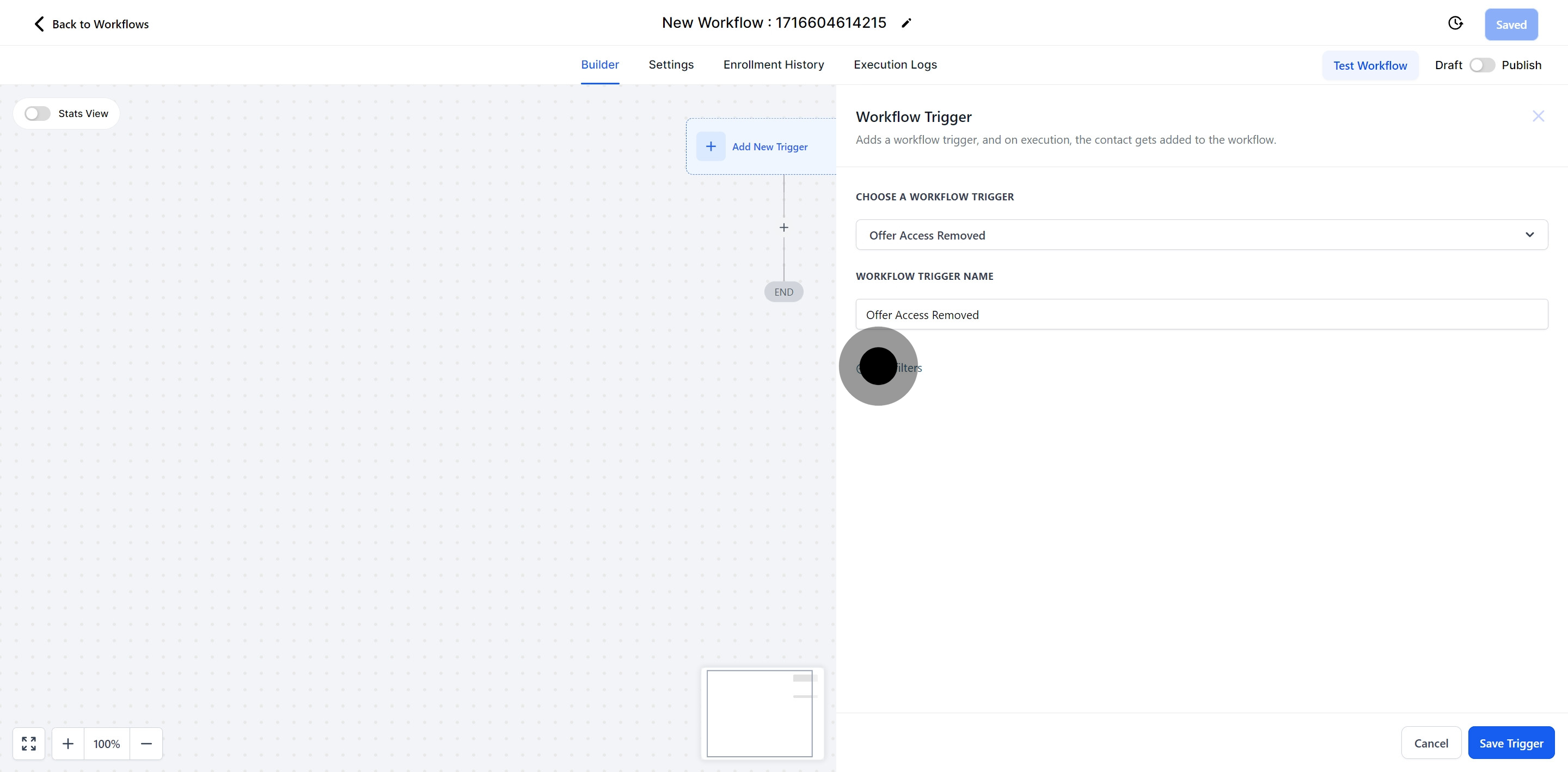
6. Following that, click on 'Add filters' to narrow down your criteria.
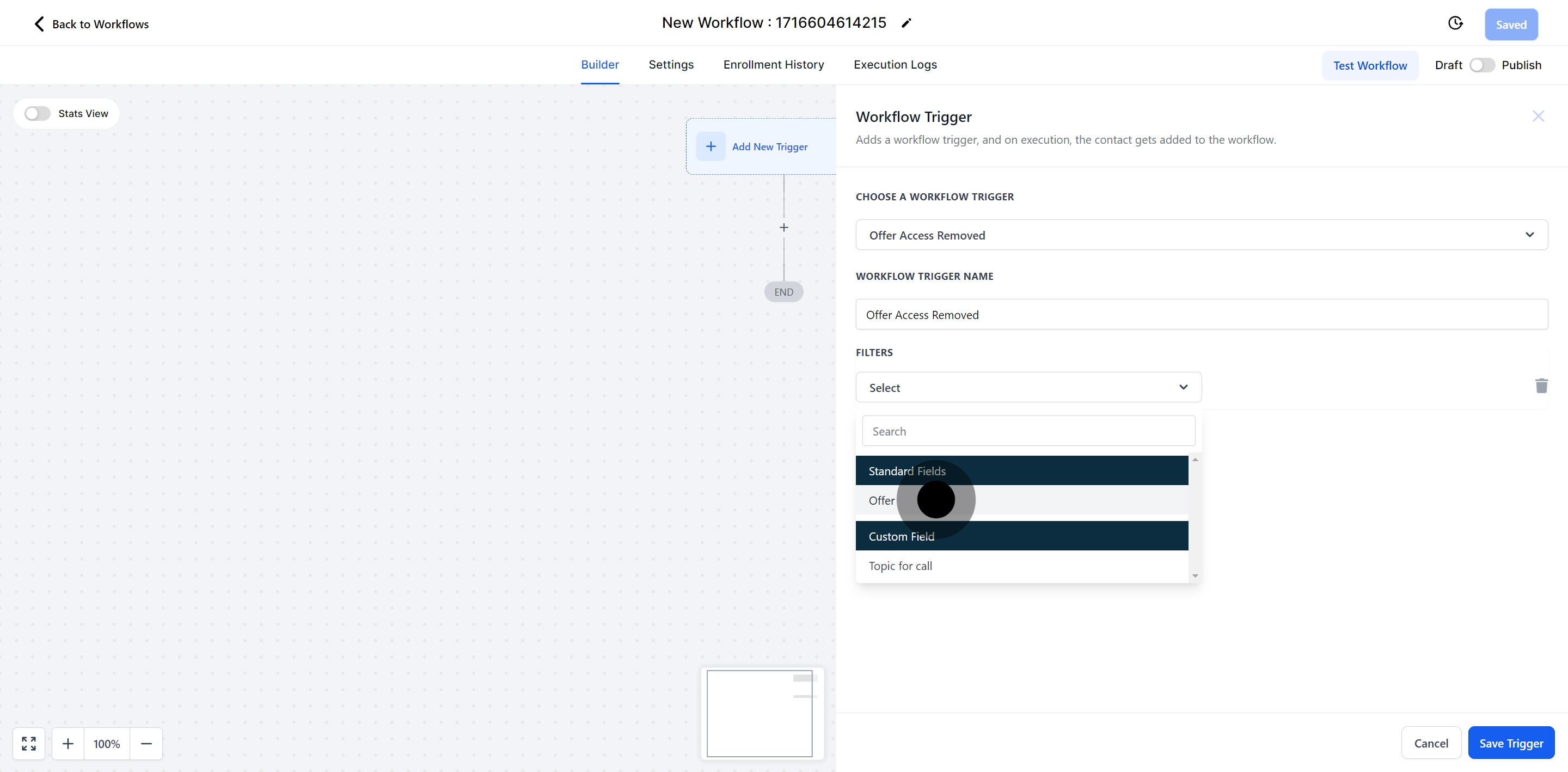
7. Afterwards, select 'Offer' to specify what is being accessed.
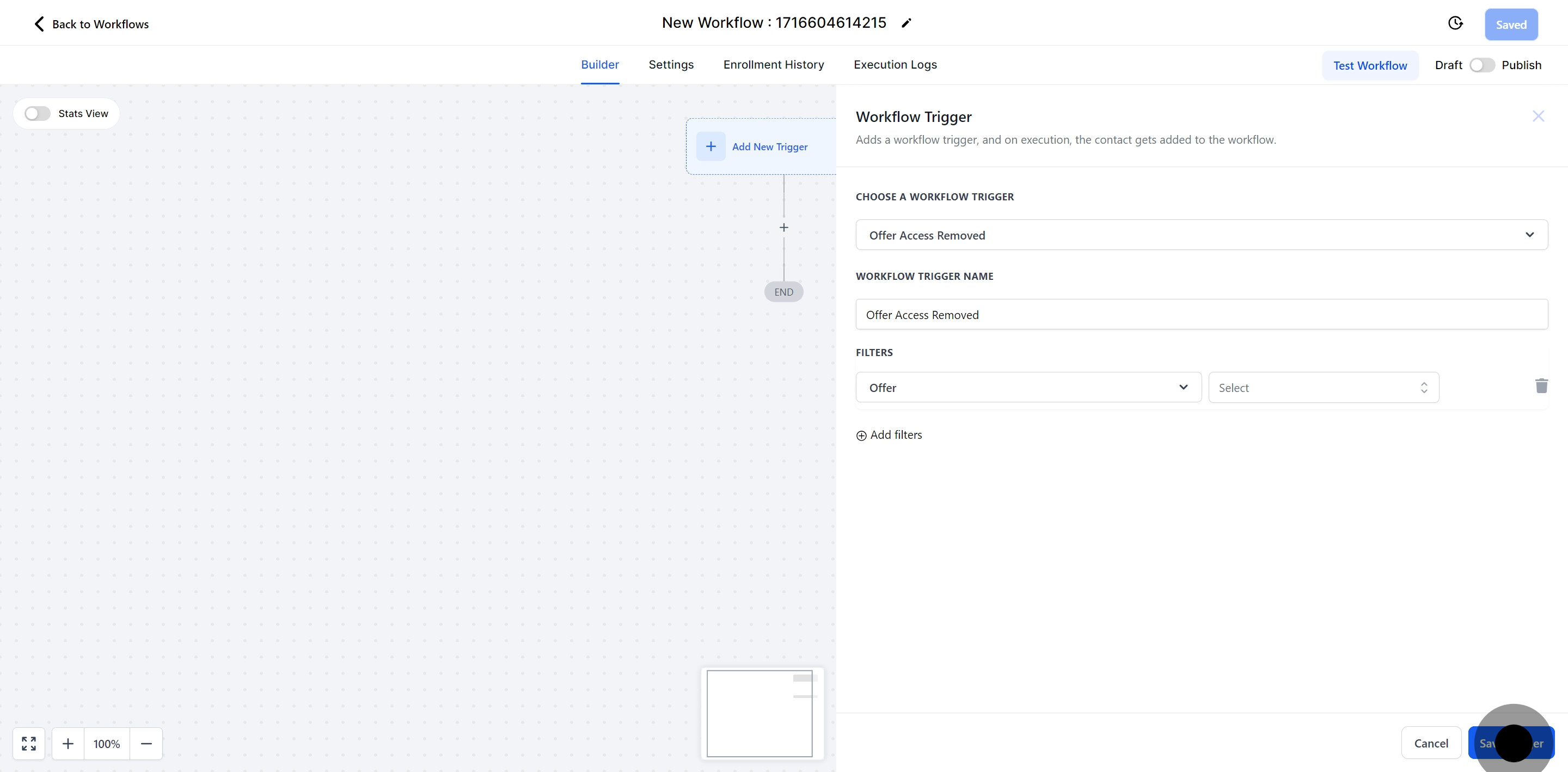
8. Finally, ensure to save your configurations by clicking 'Save Trigger'.
Did this answer your question?
😞
😐
😁